Discover examples of product videos generated by Cinemerce
How It Works
Product Photo to Product Video
Generate Product Videos within Shopify
01
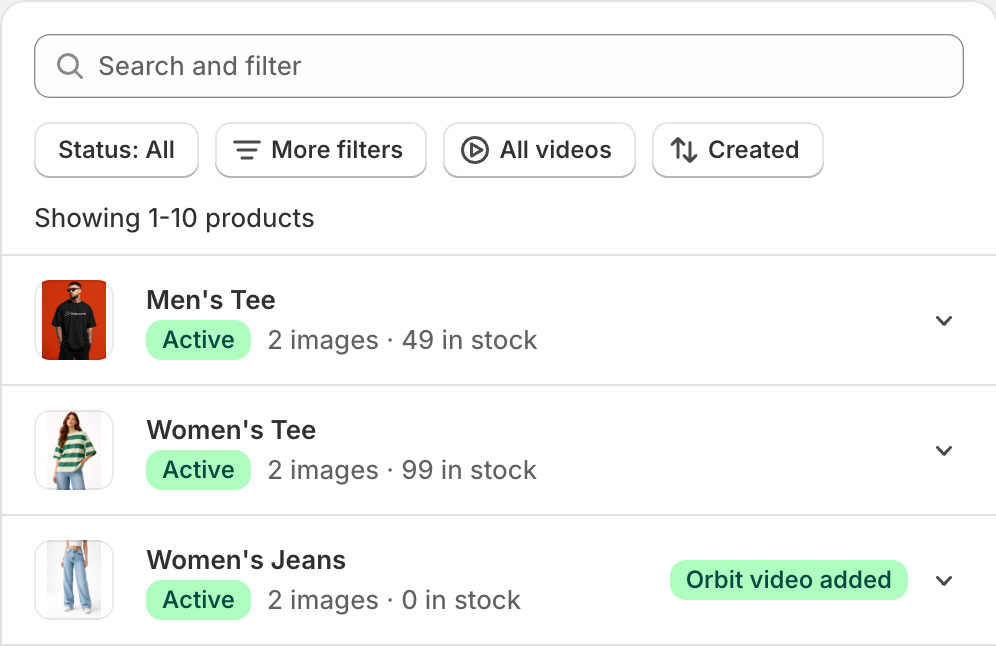
Select Your Product
View all your products within our Shopify App. Search and select which product you'd like to create a video for.
02
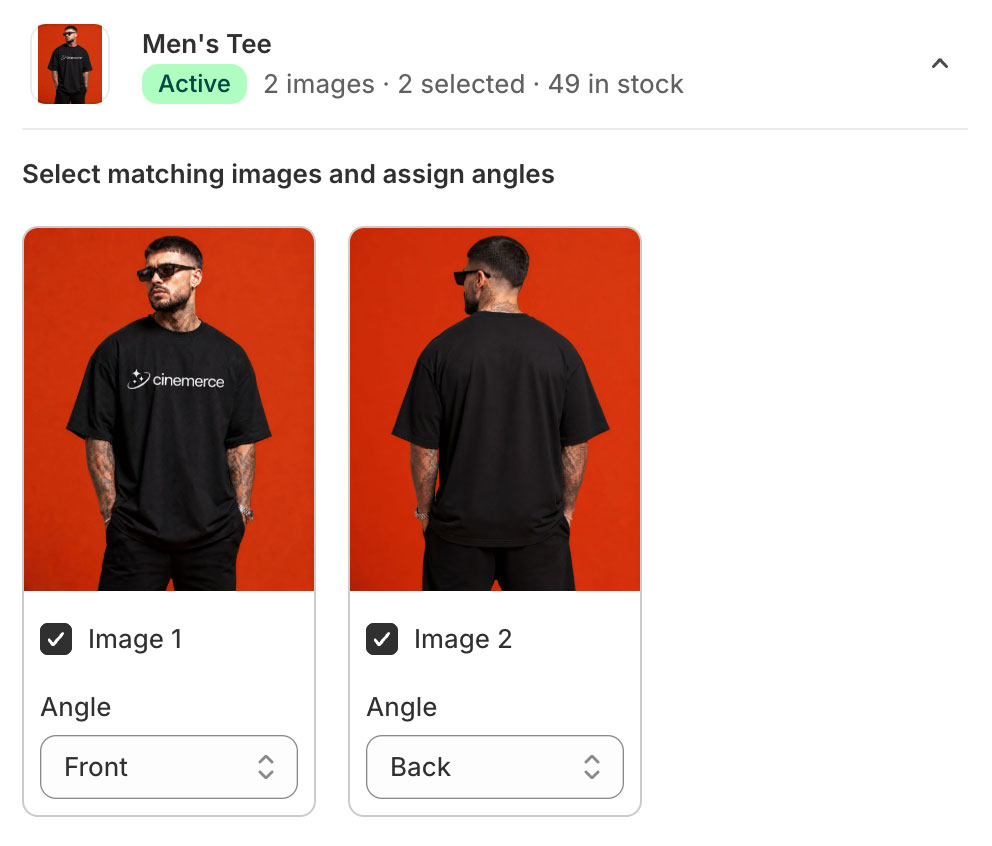
Select images and assign angles
Select the photos to use within your video. Clean, consistent, high-resolution images produce the best results.
03
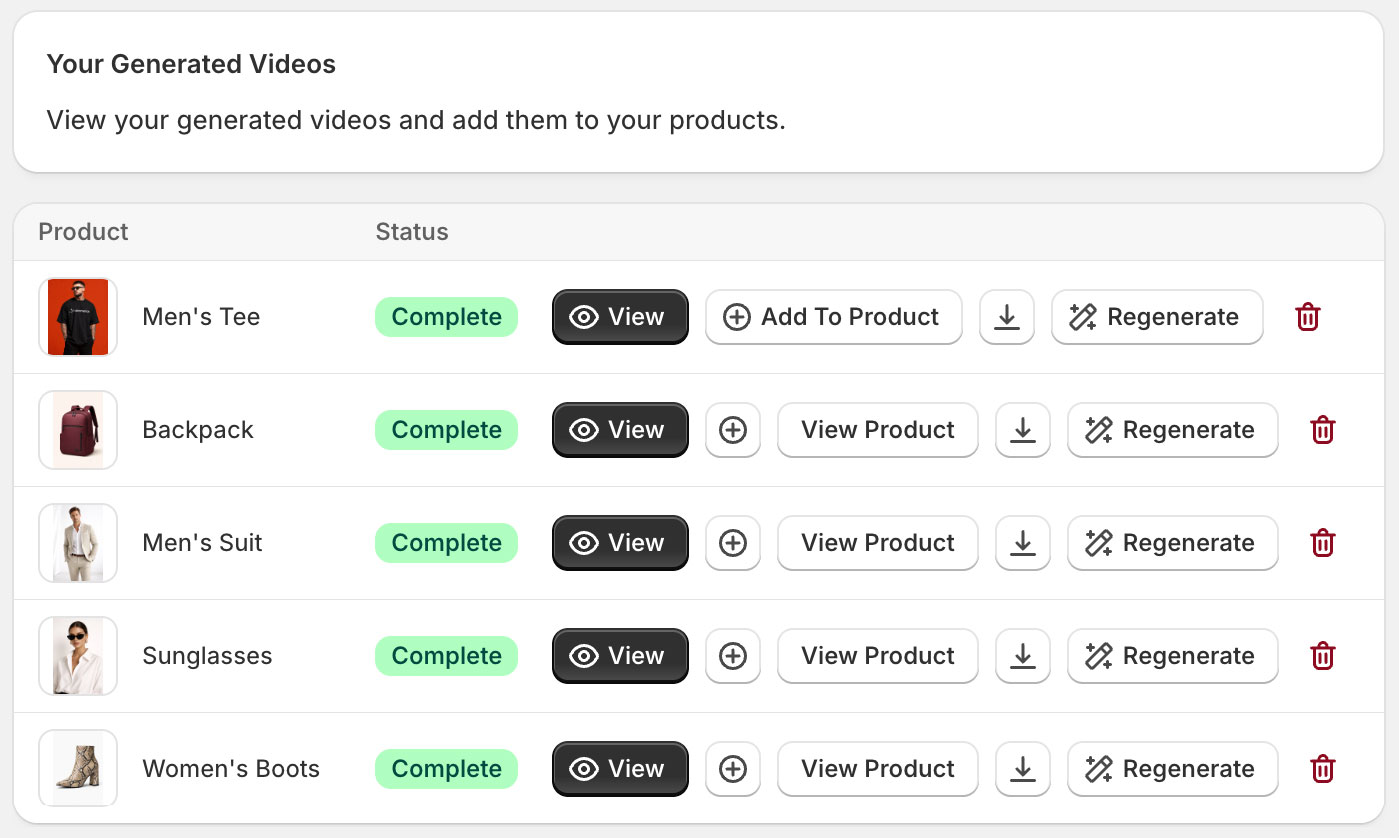
Add your Generated Video to your Product
Click Add to Product and Cinemerce will automatically upload to your Product's media gallery.
04
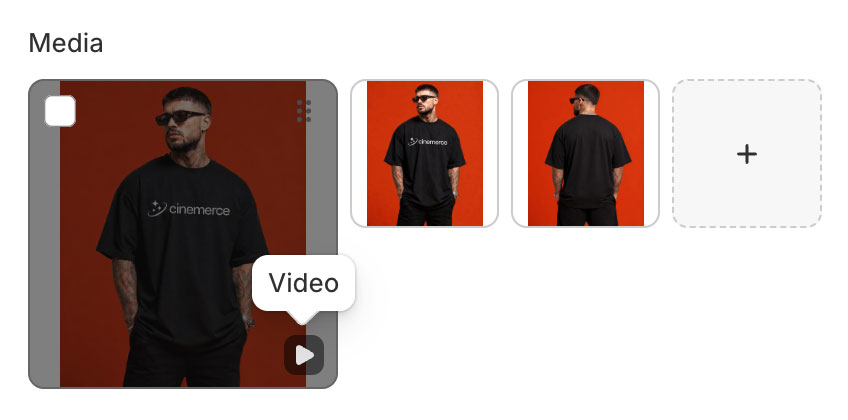
Saved to Product
Press View Product to open your product within Shopify and see your product video within your Product's media gallery. Open product on your storefront to view live on product page.
Add To Cart
05
View Video on Product Page
Open your product within your store and view your product's new engaging video.
Cinemerce AI Product Video Studio
Add Cinemerce to Your Shopify Store
Transform your Shopify Store with quality AI generated product videos
Cinemerce is an AI product video generator Shopify App, designed for Shopify using eCommerce brands. It allows you to create high-quality, orbital product videos from product images - without filming, editing, or expensive production.
How does the AI product video generator work?
Simply select your product's images, assign the angle of the photos and create your video. Our advanced video AI will generate a smooth orbital product video replicating your lighting and perspective to create a professional, engaging product video.
Can I use Cinemerce with Shopify?
Yes. Cinemerce is built for Shopify stores. Cinemerce automatically loads your product's images for your selection to assign angles. You can create your product videos within Shopify and easily add to your products with a single click.
Do I need video editing skills to use Cinemerce?
No. Cinemerce is designed to be fully automated. You don’t need any video editing or design experience to create high-quality product videos.
What types of products work best?
Cinemerce works best with clear product images such as fashion, accessories, beauty products, and physical goods. Clean backgrounds and high-resolution images produce the best results.
How long does it take to generate a product video?
Videos are generated in around 4 minutes. This allows you to create content quickly and scale across your entire product catalogue.
Can I create videos for my entire Shopify catalogue?
Yes. Cinemerce is built for scale, allowing you to generate product videos for multiple products quickly and consistently.
Where can I use the videos?
You can use your product videos wherever you like! We recommend using on your Shopify product pages, Paid Ads (Meta, TikTok etc.), Social media content and landing pages.
Do you use my product images to train your AI model?
No. We do not use your product images to train our AI model and AI technology. All images and videos are automatically deleted from our system 24 hours after generation.
Are AI generated product videos better than a traditional product video shoot?
Cinemerce offers a faster and more cost-effective alternative to traditional video production. While studio shoots can cost thousands and take weeks, Cinemerce delivers high-quality results in minutes - making it ideal for scaling content in fast paced industries.
How much does Cinemerce cost?
Cinemerce offers flexible plans for growing brands. View our pricing to learn more.
What makes Cinemerce different from other AI video tools?
Cinemerce is built specifically for eCommerce. Unlike generic AI video tools, it focuses on product presentation, conversion, and seamless use within Shopify stores.
Does Cinemerce generate anything other than orbital product videos?
Not currently. We have built our technology to focus on the magic of orbital product videos, however in the future we will release other styles of videos to suit eCommerce retailer's requirements.
How do I add Cinemerce to my Shopify Store?
You can easily add Cinemerce as a Shopify App into your store here.